For Keith · June 2026
Hermes Command Package
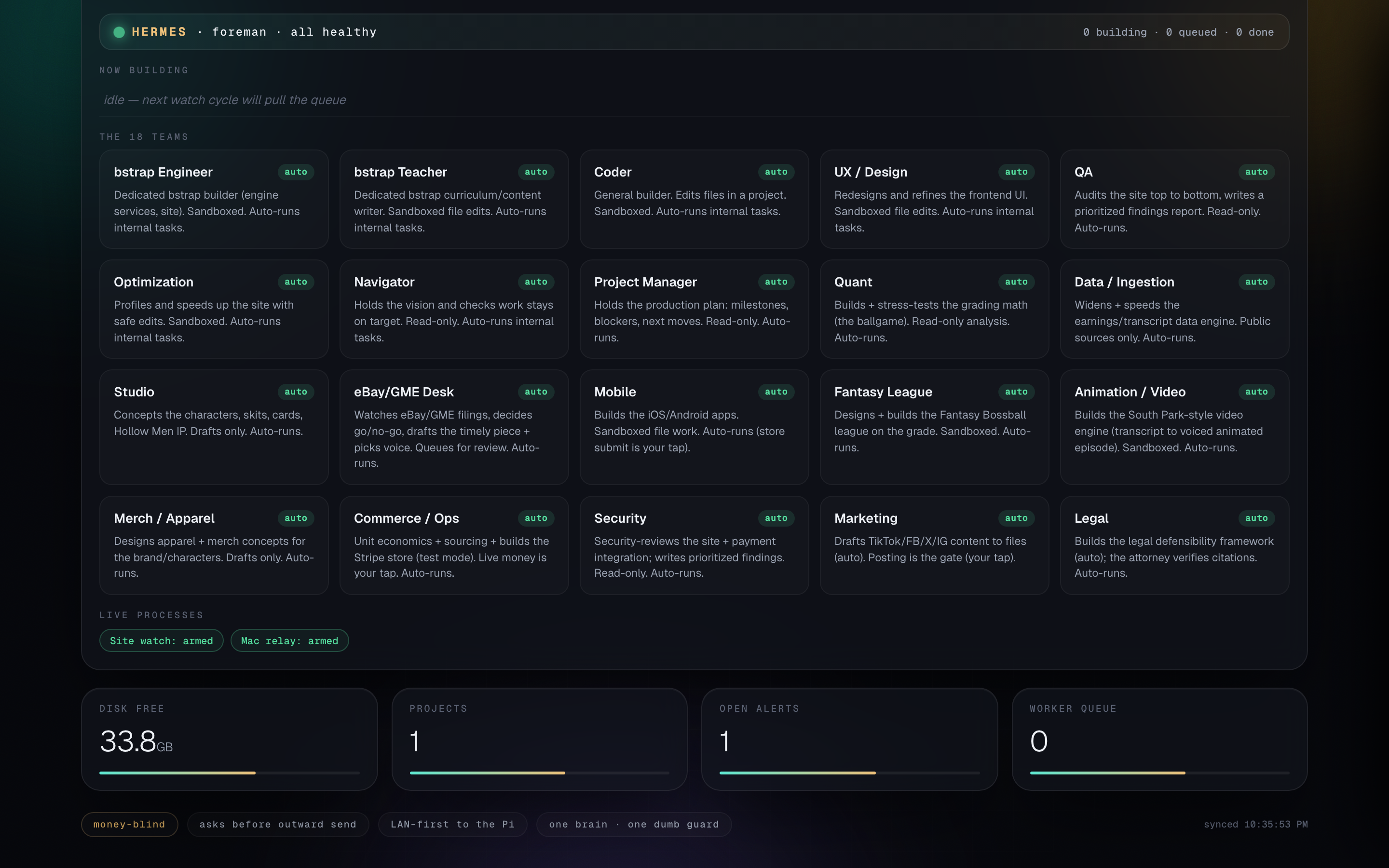
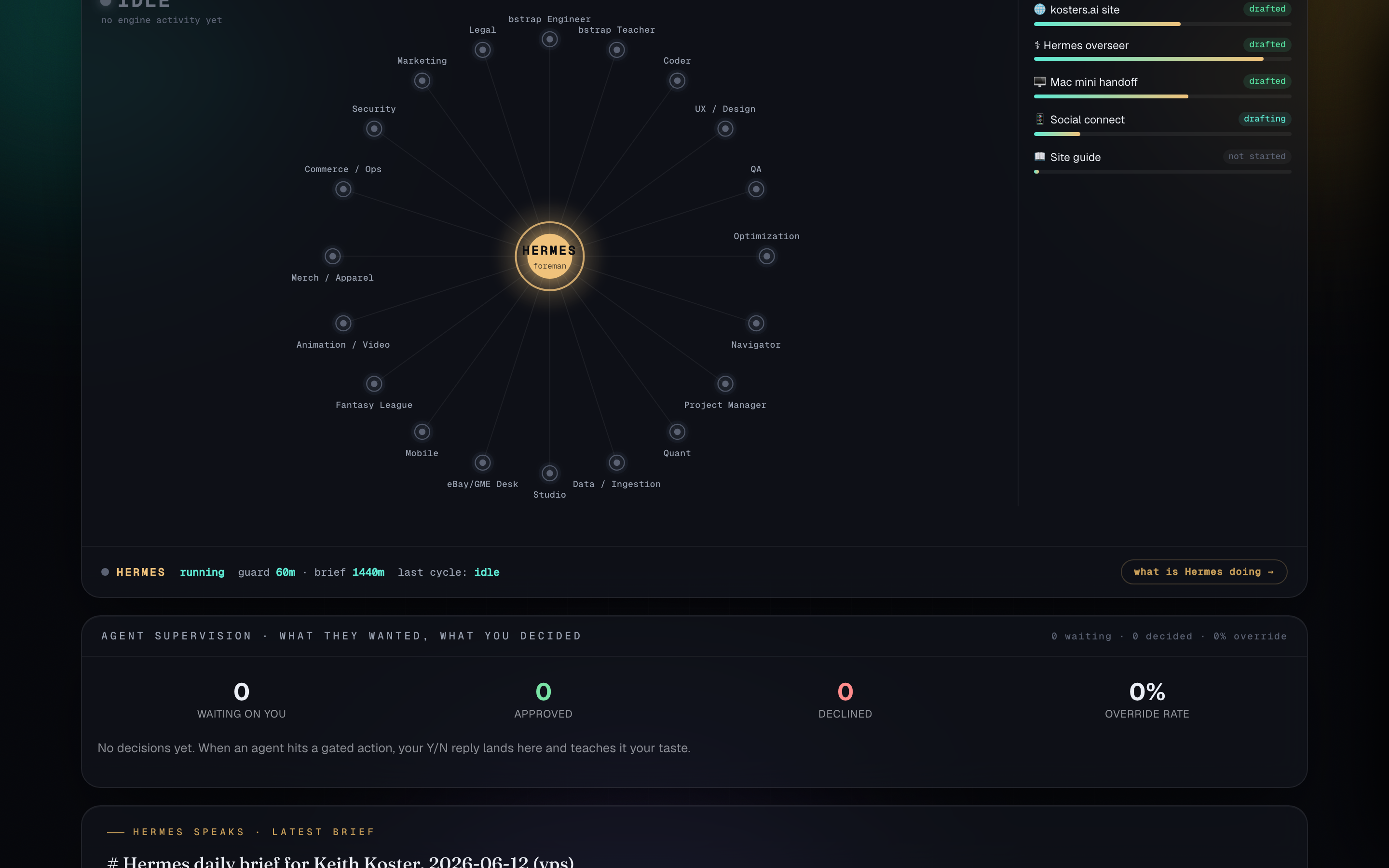
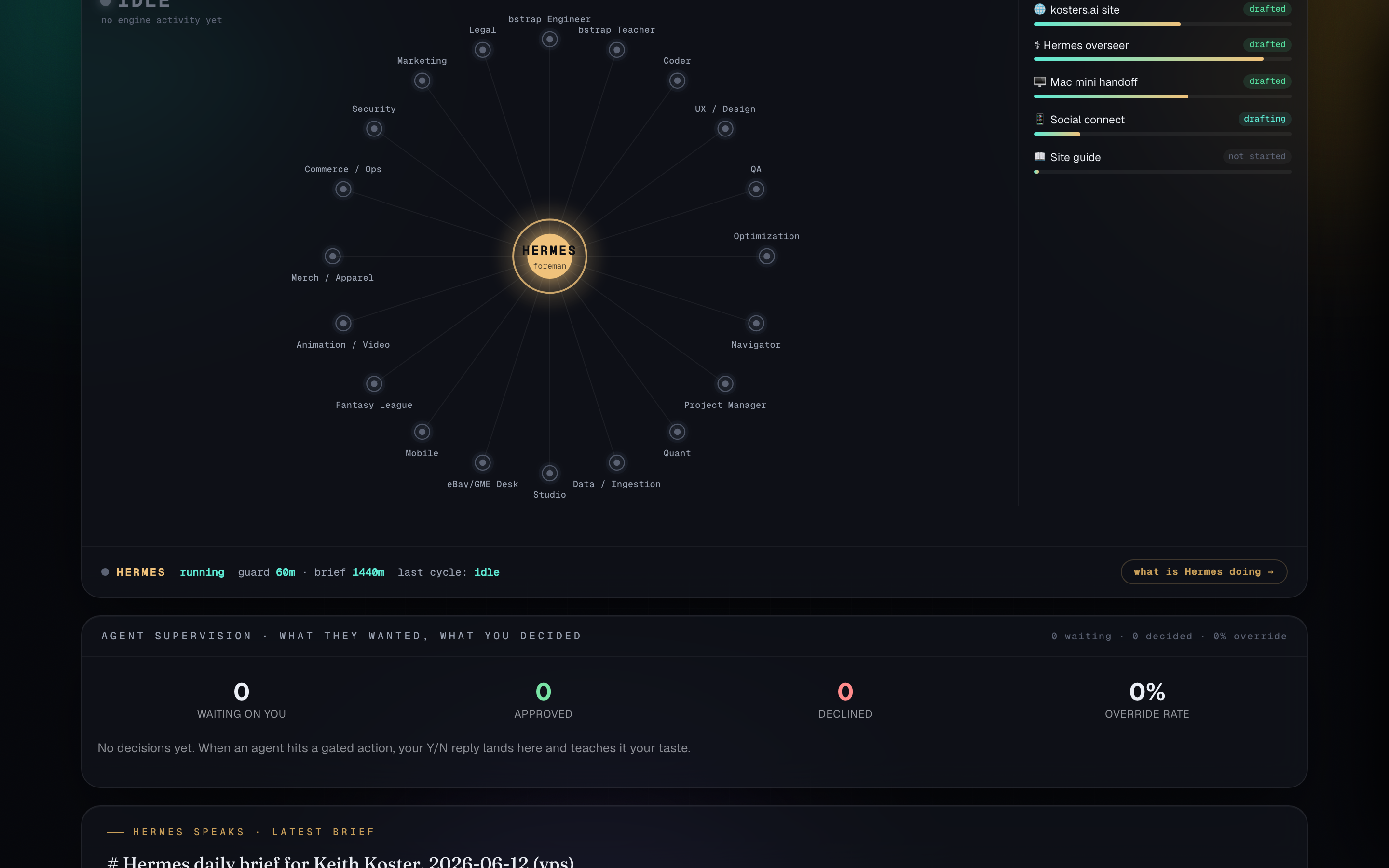
Everything below is built and running. This page is the visual walkthrough: your site, your overseer, and the same Command Deck surface I use daily. Screenshots are live captures from production, not mockups.
Executive summary
You spent a career making complex systems legible to other people. This package points the same instinct at your own time: one private overseer (Hermes), a toolkit of agents that work on free models by default, and a fixed home on the internet. The hard engineering is done. What remains is hardware (one Mac mini) and your say-so on outbound contact.
| Component | Status | Notes |
|---|---|---|
| kosters.ai | Live | Private landing page and setup guide. Domain held for transfer into your name. |
| Hermes overseer | Live | VPS instance watching your site and infra. Alerts intentionally muted until you enable them. |
| Command Deck | Live | Same dashboard as mine: topology, fleet, workstreams, supervision. Private Tailscale link from Zack. |
| White paper | Live | This page. Live screenshots updated as the package ships. |
| iMessage relay | Live | Mac relay up. Blue bubbles to your number when you enable alerts (not Zack's Sendblue line). |
| Voice surface | Live | Caller relay and Hermes TTS on the VPS. Surprise demo call already placed. |
| Agent fleet toolkit | Ready | ai-fleet on GitHub. Free models by default. |
| GitHub repos | Pending | Invites to hermes-keith and kosters-ai await your accept. |
| Domain transfer | Pending | Create Porkbun account kkoster with ID verification, then Zack pushes. Auth code ready as fallback. |
Your site
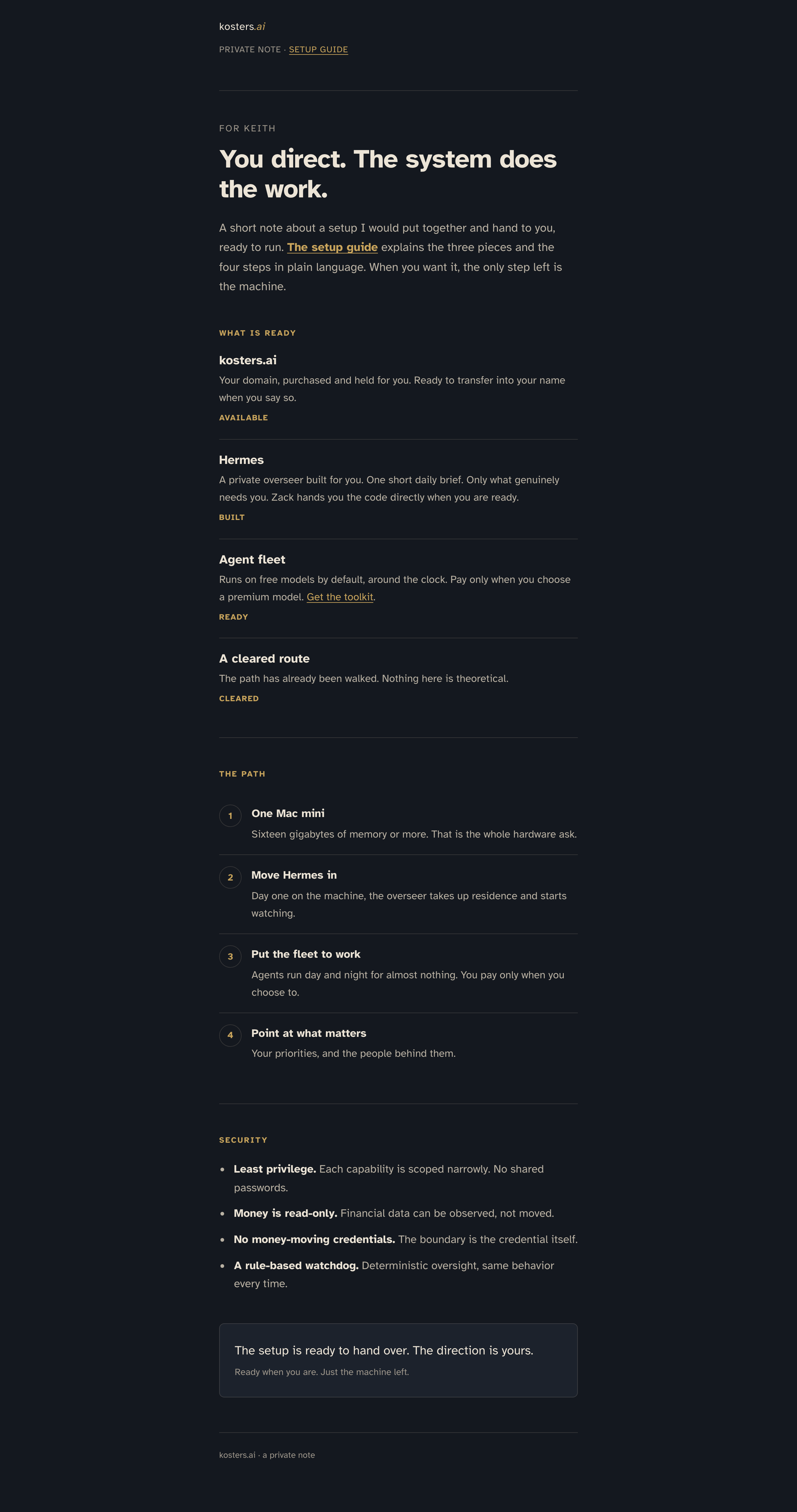
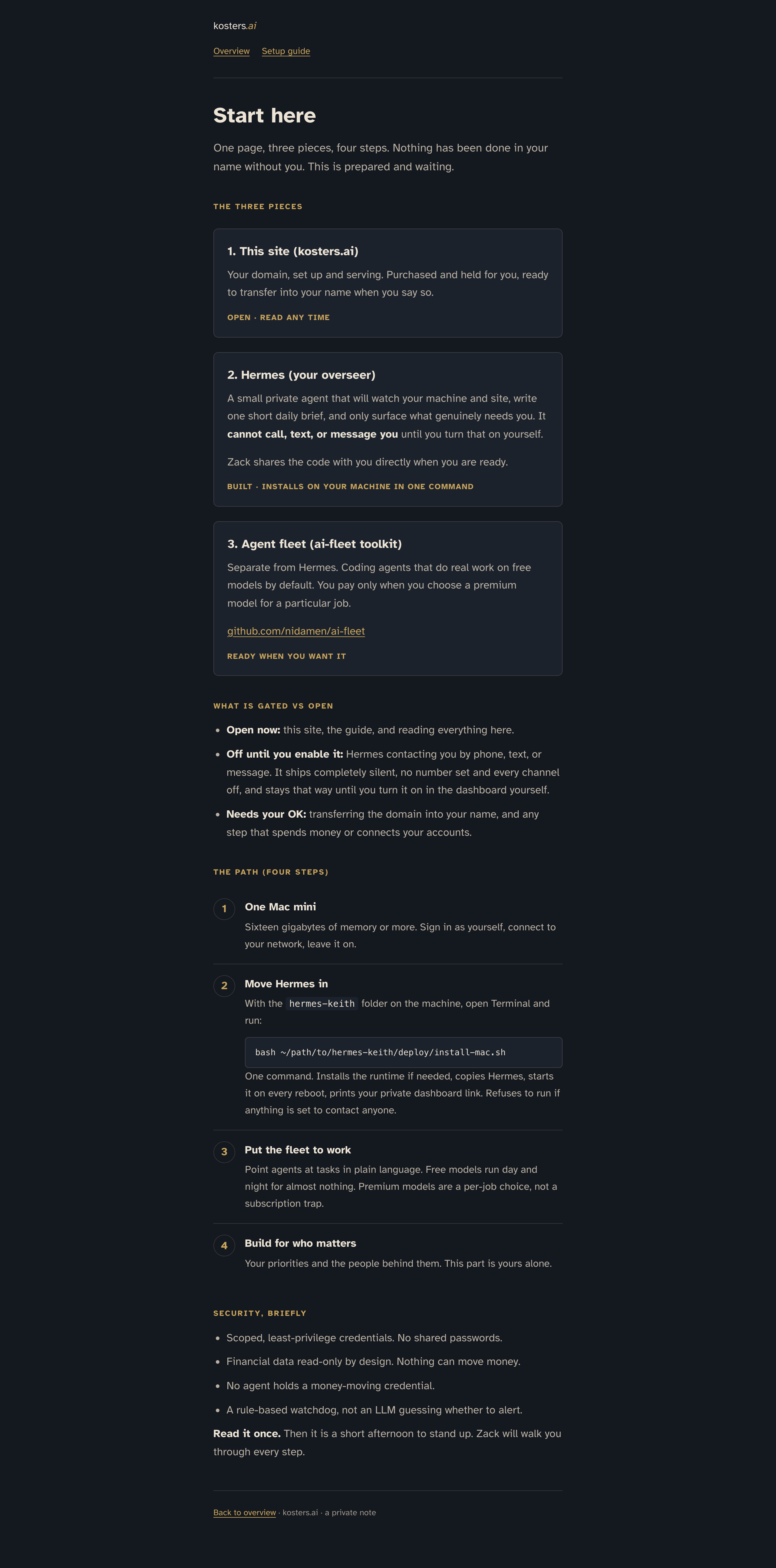
kosters.ai is a private note: what is ready, the four-step path, and security boundaries in plain language. No theatre, no PII on the page.
Hermes Command Deck
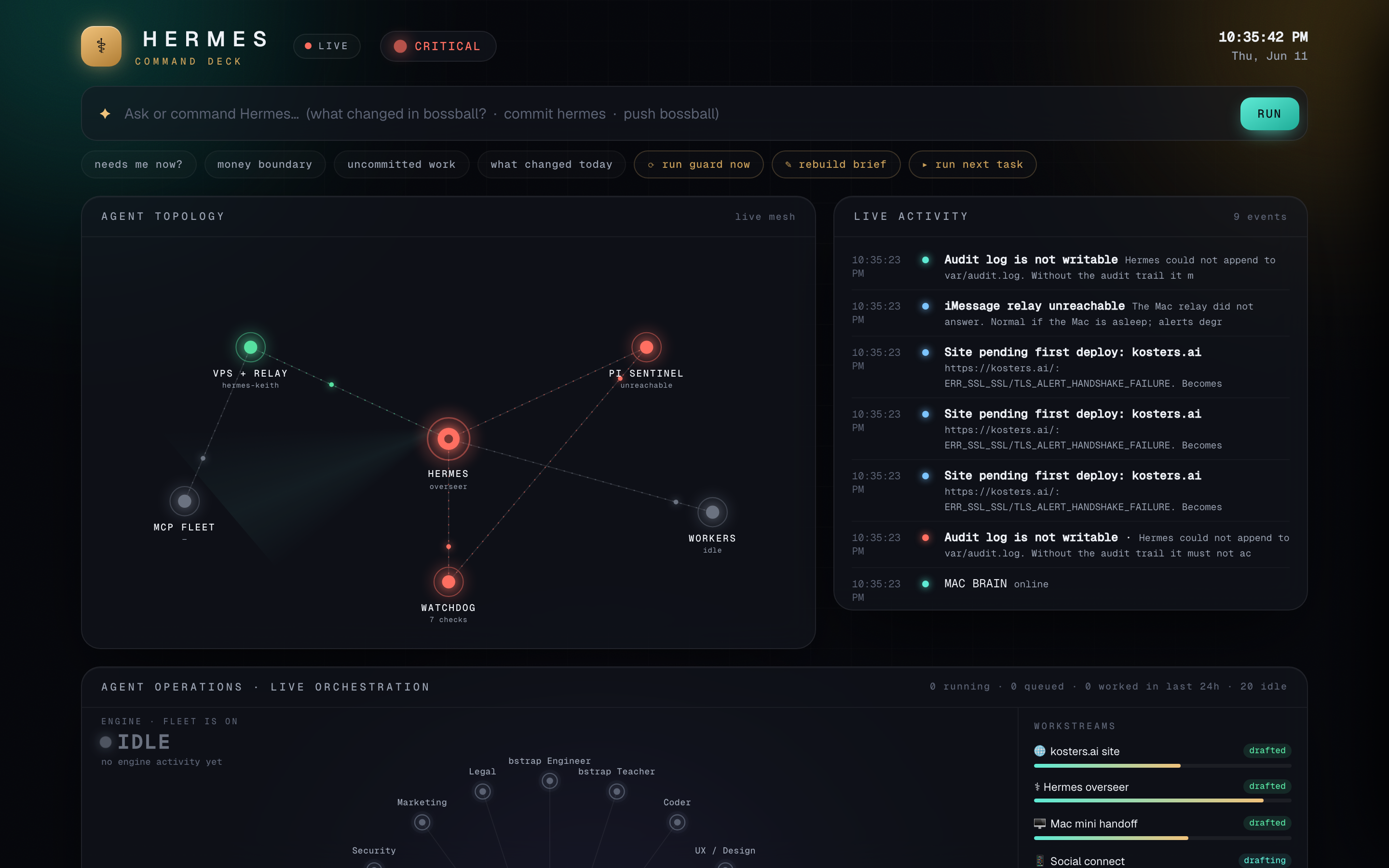
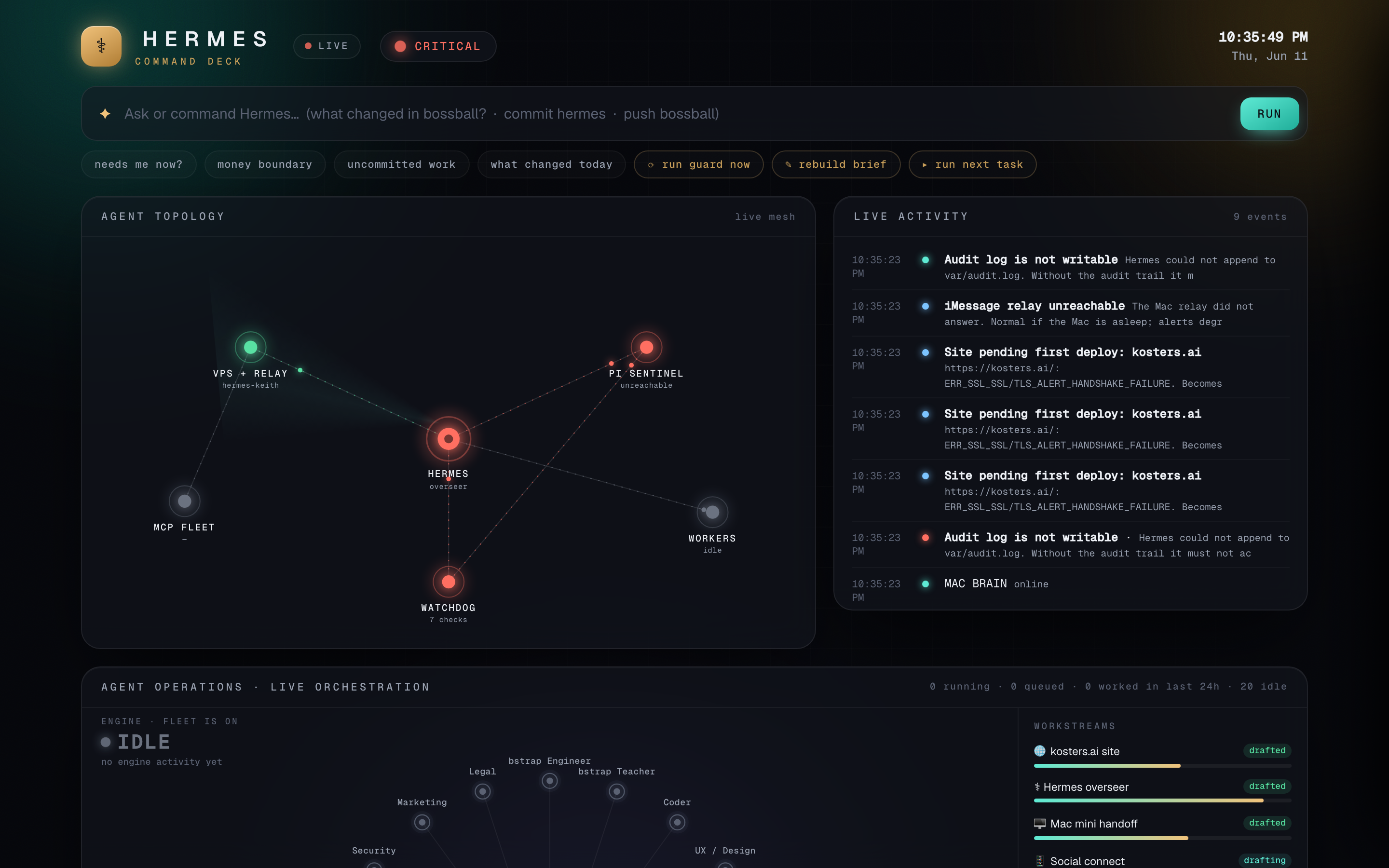
This is the same Command Deck I run. Agent topology, live activity, fleet orchestration, workstreams, and supervision panels. It binds on Tailscale only; you open it with a private link after joining the tailnet (Zack sends the bookmark).
Talking to Hermes (blue iMessage)
Short answer: Yes, Hermes can reach you on blue iMessage. Not through my Sendblue line (that one is mine). Yours routes through an iMessage relay on the Mac, so when alerts are on, messages arrive as real blue bubbles to your number.
Today: Outbound alerts are off by design. Nothing texts or calls until you flip that switch. The relay and voice surfaces are wired; they wait on your go.
Two-way orders: On my build, I text a Sendblue number and Hermes replies on-thread. On yours, the first path is relay outbound plus the Command Deck for commands. When your Mac mini is home, we can add a dedicated Sendblue line the same way if you want parity.
Security model
- Least privilege. Scoped credentials, no shared passwords.
- Money is read-only. Financial data can be observed, not moved. No money-moving MCP credentials.
- Rule-based watchdog. Deterministic checks, same behavior every time.
- Contact is opt-in. Fresh installs refuse to run in a contactable state. See the guide and SECURITY.md in the repo.
Your four steps
- One Mac mini (16 GB RAM or more). Sign in as yourself, leave it on.
- Move Hermes in —
bash deploy/install-mac.shfrom thehermes-keithrepo. - Put the fleet to work — agents on free models; premium only when you choose.
- Point at what matters — your priorities and the people behind them.
What Zack sends separately
- Tailscale join key (for Command Deck access)
- Private dashboard bookmark (token never on this public page)
- GitHub invite accept links
- Porkbun transfer steps once your
kkosteraccount exists
The setup is ready to hand over. The direction is yours.